Features
What’s on the glass, where the values come from, and everything you can set from your phone.
On the glass
The glass is a 2.1″ round 480 × 480 IPS panel, around 1000 nit, behind a 52 mm bezel. It redraws at 50 Hz, with an anti-aliased needle that moves in 0.1° steps.
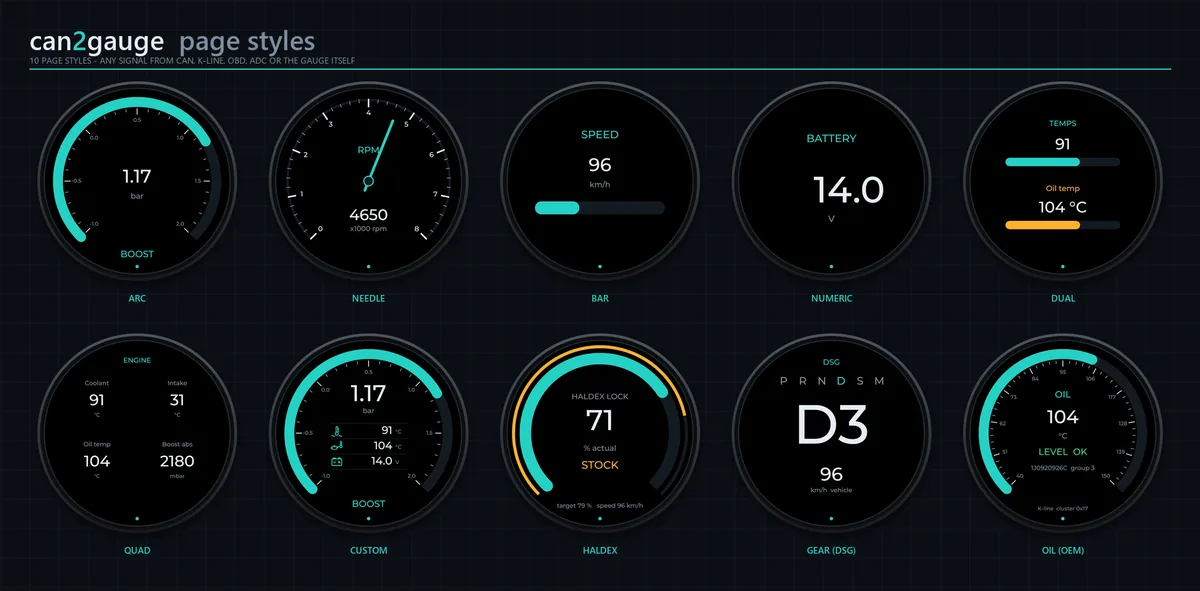
| Style | What it shows |
|---|---|
| Arc | A sweep with a tick scale and a big number; the redline colour above your set point |
| Needle | A classic dial with a counterweighted needle that sweeps over the printed legend |
| Bar | A horizontal bar with the value above |
| Numeric | The value, large, and nothing else |
| Dual | Two values, each with its own bar |
| Quad | Four values in a grid |
| Custom | An arc as the main gauge, with three icon readouts in the middle |
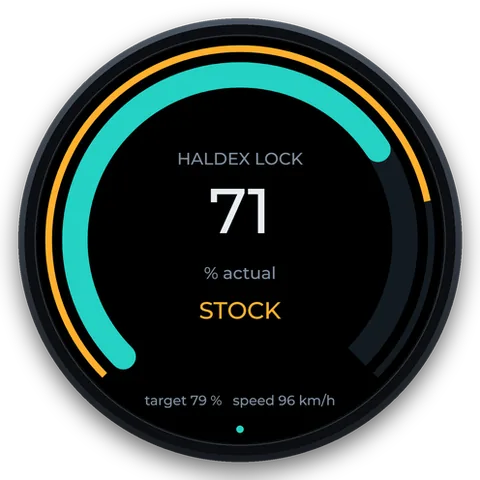
| Haldex | Target and actual lock arcs, the mode, and an optional second value |
| Gear | The P R N D S M strip, the engaged gear huge (D3, S4, M2…) and the speed |
| Oil (OEM) | The cluster’s oil-temperature arc with LEVEL OK / LOW |
| Nav NEW | Google Maps’ next turn: the arrow, distance, street and arrival time |
Analog or Digital feel. In Analog, needles, arcs and bars move like real pointers, with a damped spring tuned to each signal’s update rate. In Digital, every reading shows the moment it arrives.
A page that’s waiting says why, under the value: “Waking module 0x01 (5-baud init)”, “No OBD adapter paired”, “0x280 not on the bus”. A value that stops arriving shows -- rather than freezing.
Screen rotation. Upside Down for a gauge fitted the other way up, and Rotation Trim (±15° in half-degree steps) for one that sits slightly crooked in its pod. Touch follows the picture.
The menu
Hold the glass for two seconds, or swipe up or down, for the mode menu. Each item has a live status line: the bus rate, the link state, the connection. Tap an item to open its live screen; opening a screen is what claims its source, so a K-line session runs only while it’s showing.
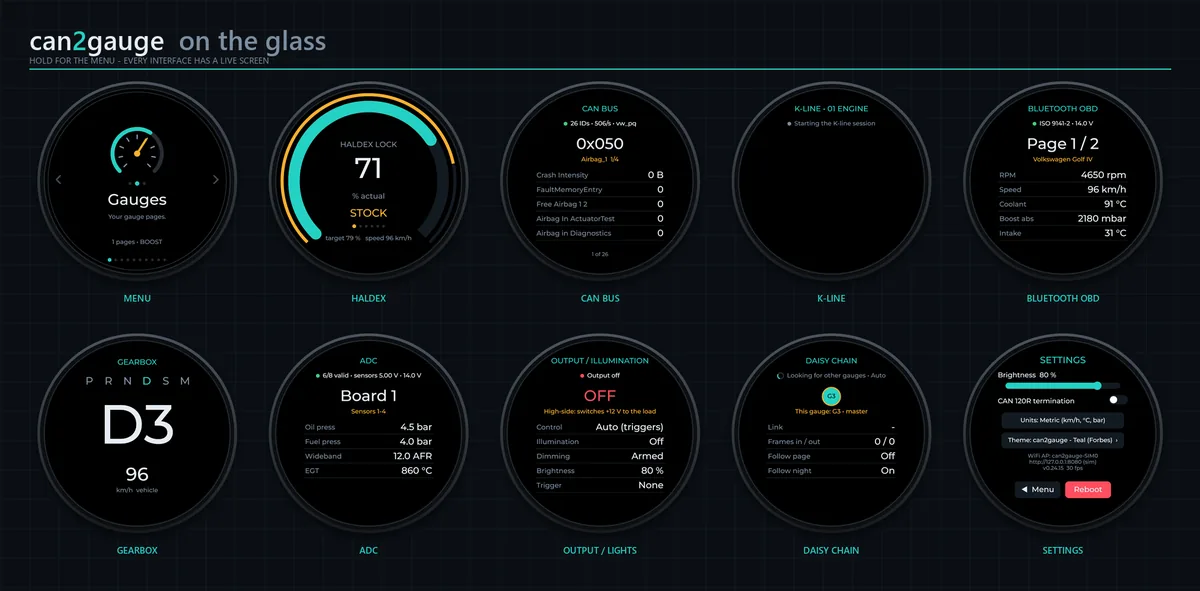
- Haldex: swipe to change the OpenHaldex mode, confirmed by its broadcast.
- CAN bus: every ID on the bus, decoded with the car’s DBC, or the raw bytes with the changes lit.
- K-line: wakes the module you picked and reads its measuring blocks with VCDS names.
- Gearbox, ADC, Bluetooth OBD, Output, Daisy chain: what each is doing, live.
- Settings: brightness, CAN termination, units, theme and reboot, with a finger.
Hide anything your car doesn’t have. The menu item and its web UI tab go together.
Where the data comes from
Every value, from any source, goes into one catalogue. A page, a trigger, a Custom slot or the logger simply picks from it.
| Source | What it gives you |
|---|---|
| Car CAN | Listens to VAG PQ, MQB and MLB (Audi C7 / D4 / Q5 8R) and MaxxECU. Asks for OBD-II PIDs, up to six per request, alongside or instead |
| Any DBC | All 108 opendbc DBCs ship on the gauge, with VW / Audi translated to English. The web UI identifies the car from the IDs on the bus. Up to three DBCs at once |
| ECU DBCs | ECUMaster EMU Black, MaxxECU, Link and Haltech, written from the makers’ published tables. Load one and it fills the gauge’s own values |
| K-line | KWP1281 measuring blocks from any VAG module, KWP2000 / OBD-II, and an ME7 logger at about 34 or 50 samples a second |
| VCDS labels | Field names, block titles and specs from 501 VCDS label files, picked by the module’s part number |
| OBD dongle | A Bluetooth LE or Wi-Fi ELM327 adapter: VIN, standard PIDs, 11- and 29-bit CAN, and VW TP2.0 through the adapter |
| OpenHaldex | Lock, target and mode over CAN, or the full controller state over Wi-Fi |
| usb2ip | Every channel of an Ignitron, MaxxECU, Link, Haltech or EMU PRO over Wi-Fi, with no wiring |
| adc2can | Up to 16 × 0–5 V sensors (oil and fuel pressure, wideband, EGT…) from two expanders |
| Gearbox | DSG and ZF 8HP (VAG and BMW): selector, gear, lock-up and input speed from CAN; ATF temperature by UDS or TP2.0 |
| OEM oil | Mk4-era G266 oil temperature and level from the cluster, over CAN or K-line |
| Phone NEW | Google Maps turn-by-turn from the can2gauge Link app over Bluetooth LE |
See Compatibility for which cars and adapters each one suits.
OpenHaldex
can2gauge started life as the companion display for OpenHaldex. Over CAN it reads the 0x6B0 broadcast and sends mode changes on 0x6A0. Over Wi-Fi, an OpenHaldex on V9 or later with Gauges over Wi-Fi sends its full state ten times a second. Every gauge in range hears it with no pairing and no wire.
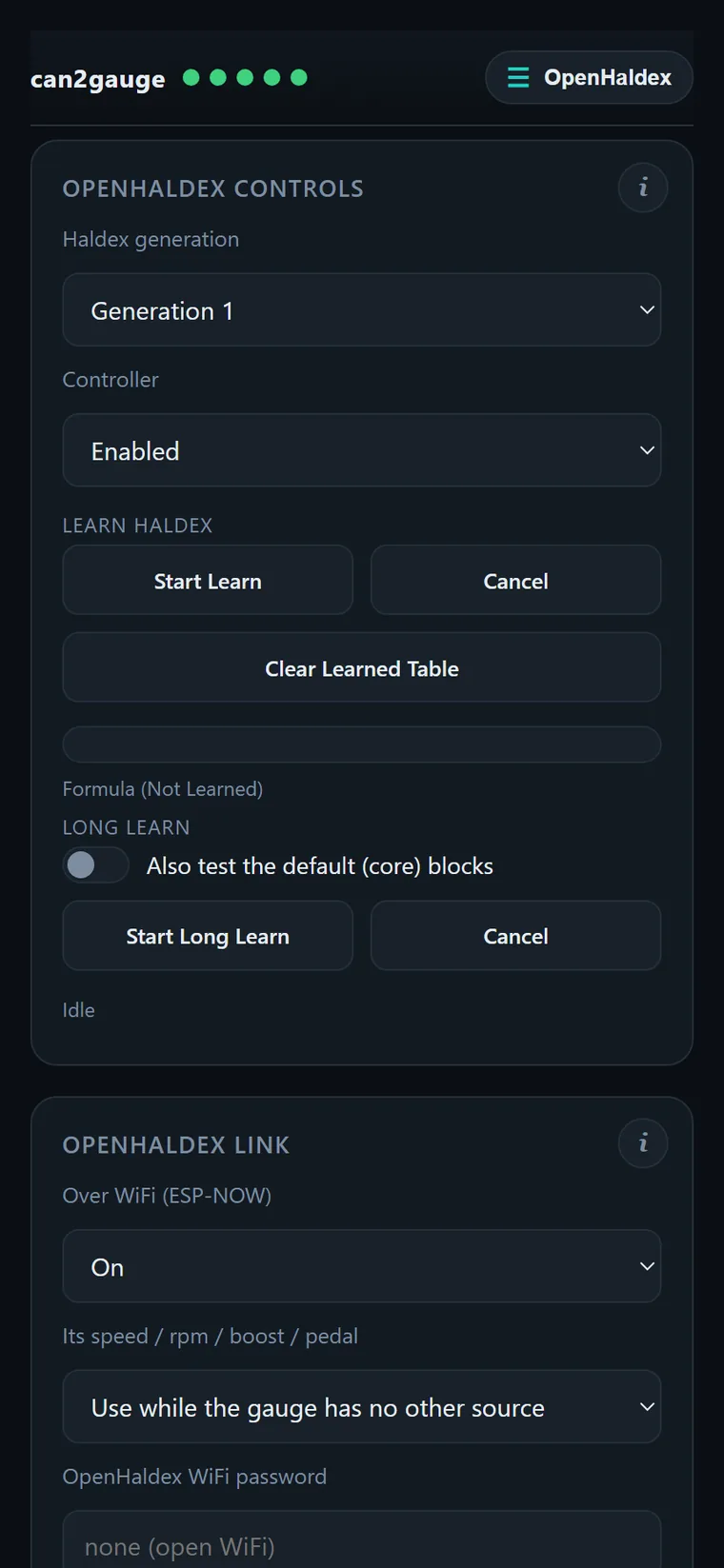
Swipe the Haldex screen to change mode on the move. From the web UI’s Haldex tab you can set the generation, switch the controller on or off, and run Learn. Each command is signed with the OpenHaldex’s Wi-Fi password, and the controller refuses it unless the car is stopped.
Themes and logos
71 themes: 65 manufacturer cluster colours across 31 makes, one per era where the make’s illumination changed (VW green, blue, then white; Audi red then white; BMW amber…), four house palettes, Custom, and Match car, which reads the VIN through a dongle and picks the make and era for you.
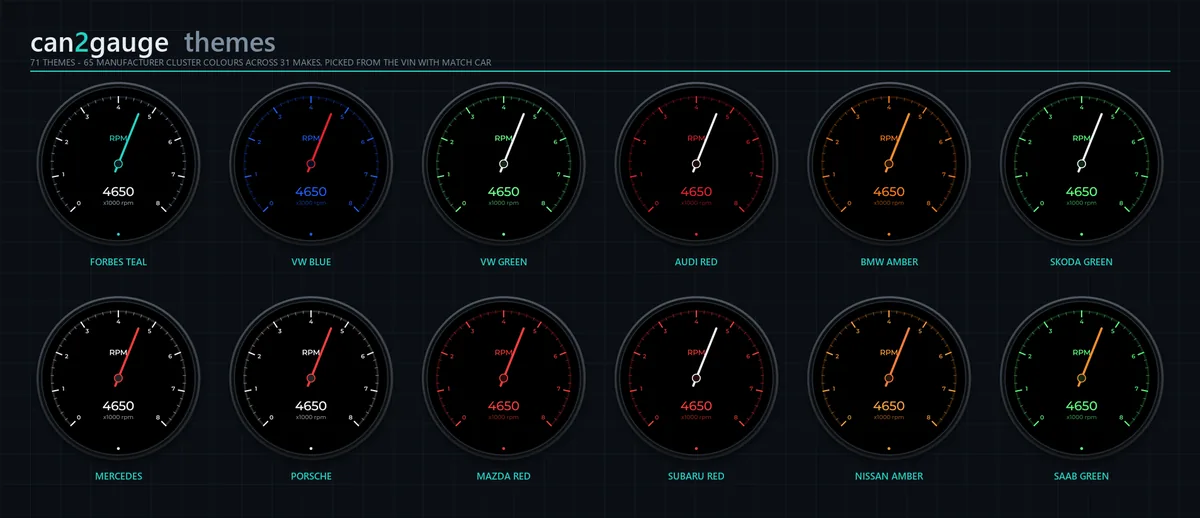
Boot to the can2gauge logo, whose dial sweeps up at ignition-on like a cluster’s needles, or Forbes Automotive, OpenHaldex, your own text, one of 33 make logos, or any image you like. The web UI converts PNG, JPG or SVG in the browser and previews it on a round glass before uploading.
Alerts and the output
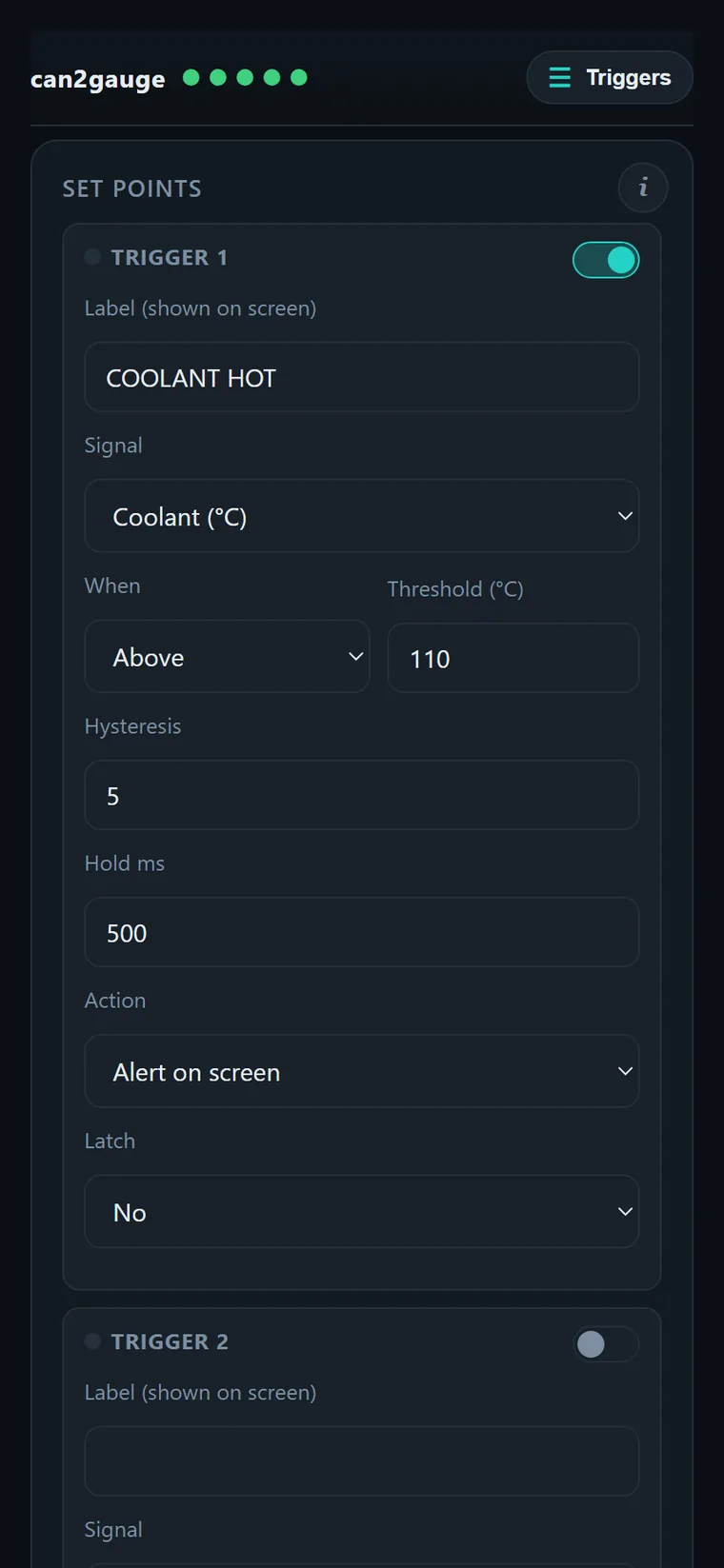
Eight triggers, each on any value: above or below, a threshold, hysteresis, a hold time and an optional latch. A trigger can pulse the glass red behind a warning card, switch the output, or both. Latched alerts wait for a tap.
The output is a protected half-bridge you set as high-side (12 V to the load) or low-side (switching the load to ground), up to 1.5 A, with short-circuit and over-temperature shutdown that retries by itself. Use it for a shift light, a fan, a warning lamp or a relay.
More than one gauge
The power and CAN plugs pass straight through, so gauges daisy-chain on one harness. One gauge is the master: it owns the OBD dongle, the K-line or the sensors, and shares the values with the others over CAN or Wi-Fi (ESP-NOW). Followers can mirror its page and night mode.
Number and set up every gauge from any one of them. Show Numbers puts each gauge’s number on its own glass. Update one, and it passes the new firmware to the others one at a time, stopping if one doesn’t come back.
Logger and service
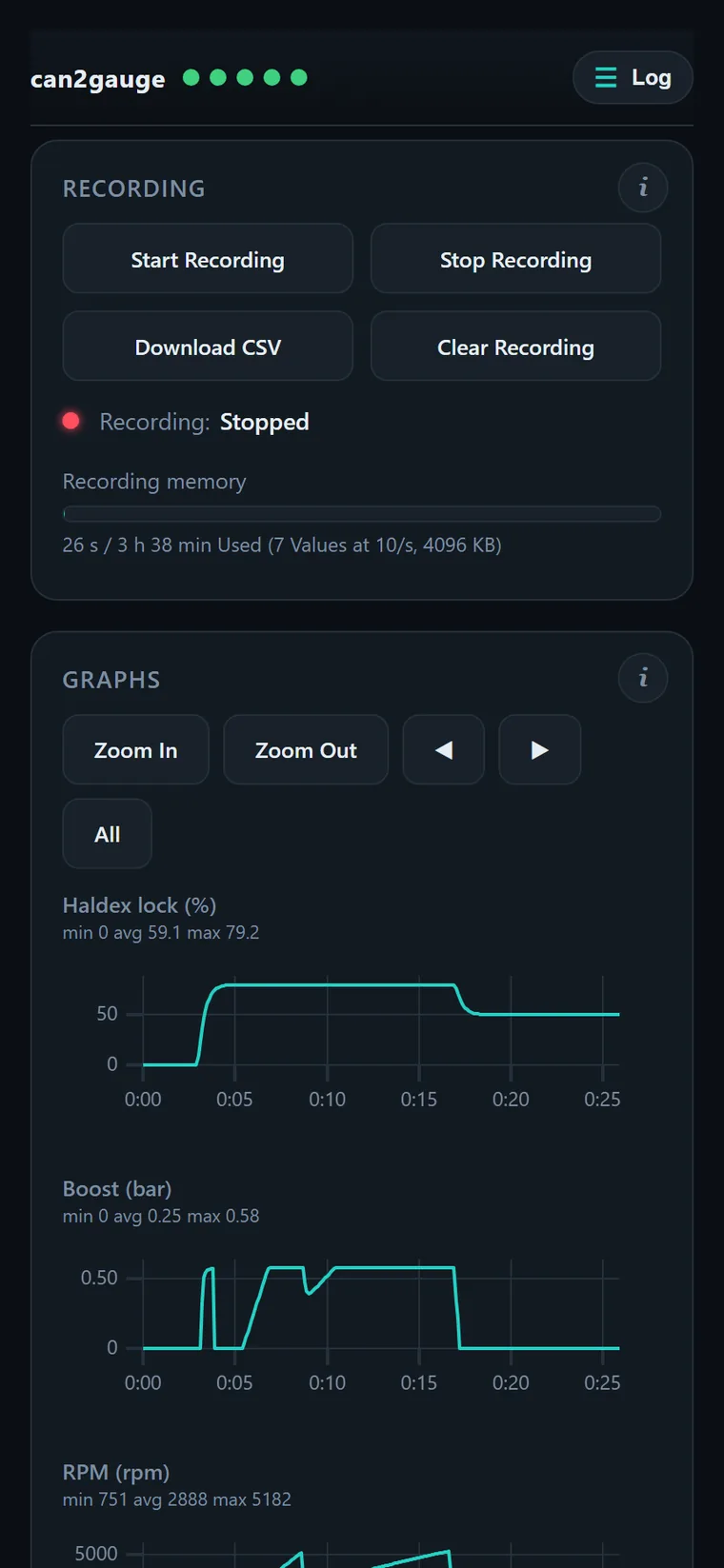
Data logger. Record the pages you have on, or up to 16 values you pick from any source, at 1–50 samples a second, into the gauge’s own memory. View the graphs on your phone, or download a CSV for Excel, MegaLogViewer or Datazap.
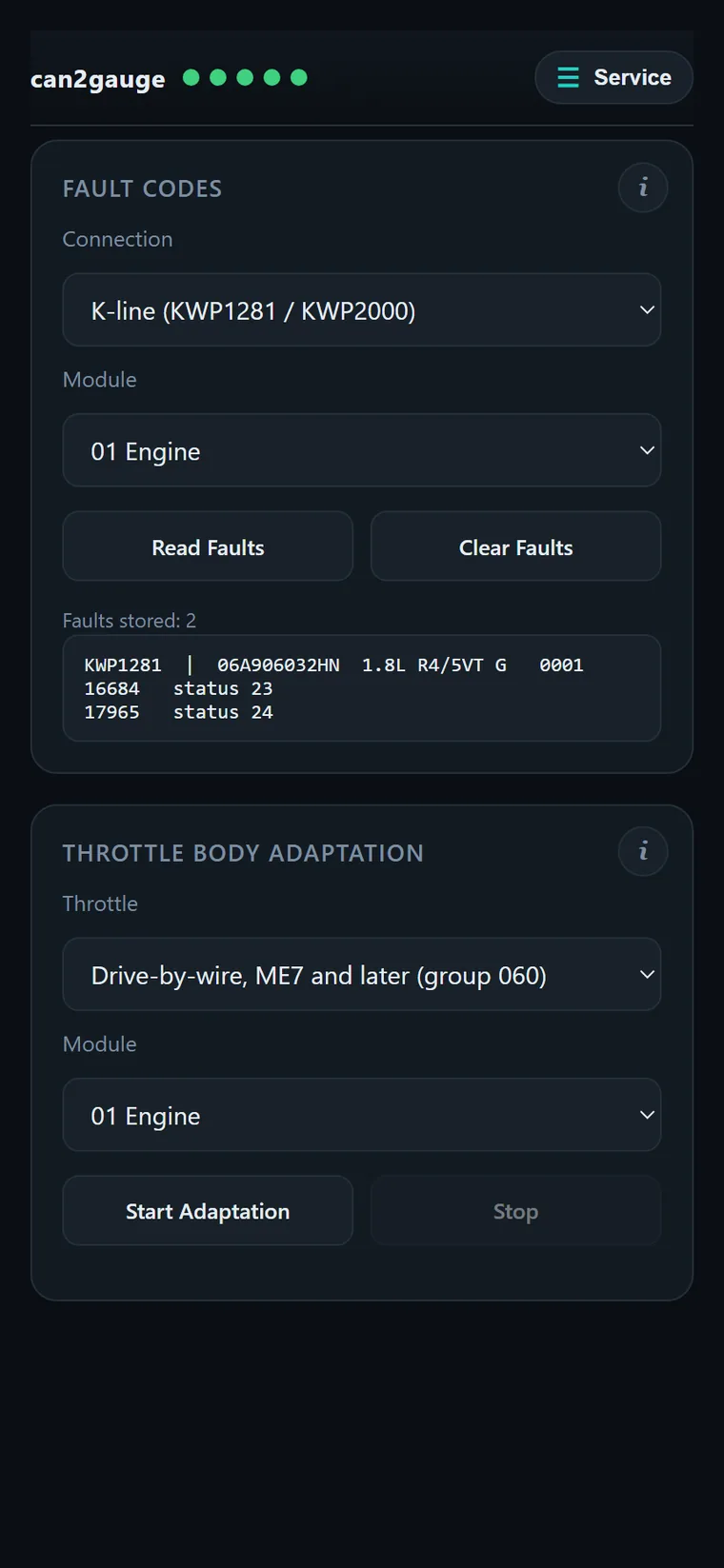
Service. Read and clear fault codes over the gauge’s own K-line (KWP1281, KWP2000) or CAN (UDS, TP2.0) with no adapter, and run the throttle-body adaptation on Mk4-era VAG.
The web interface
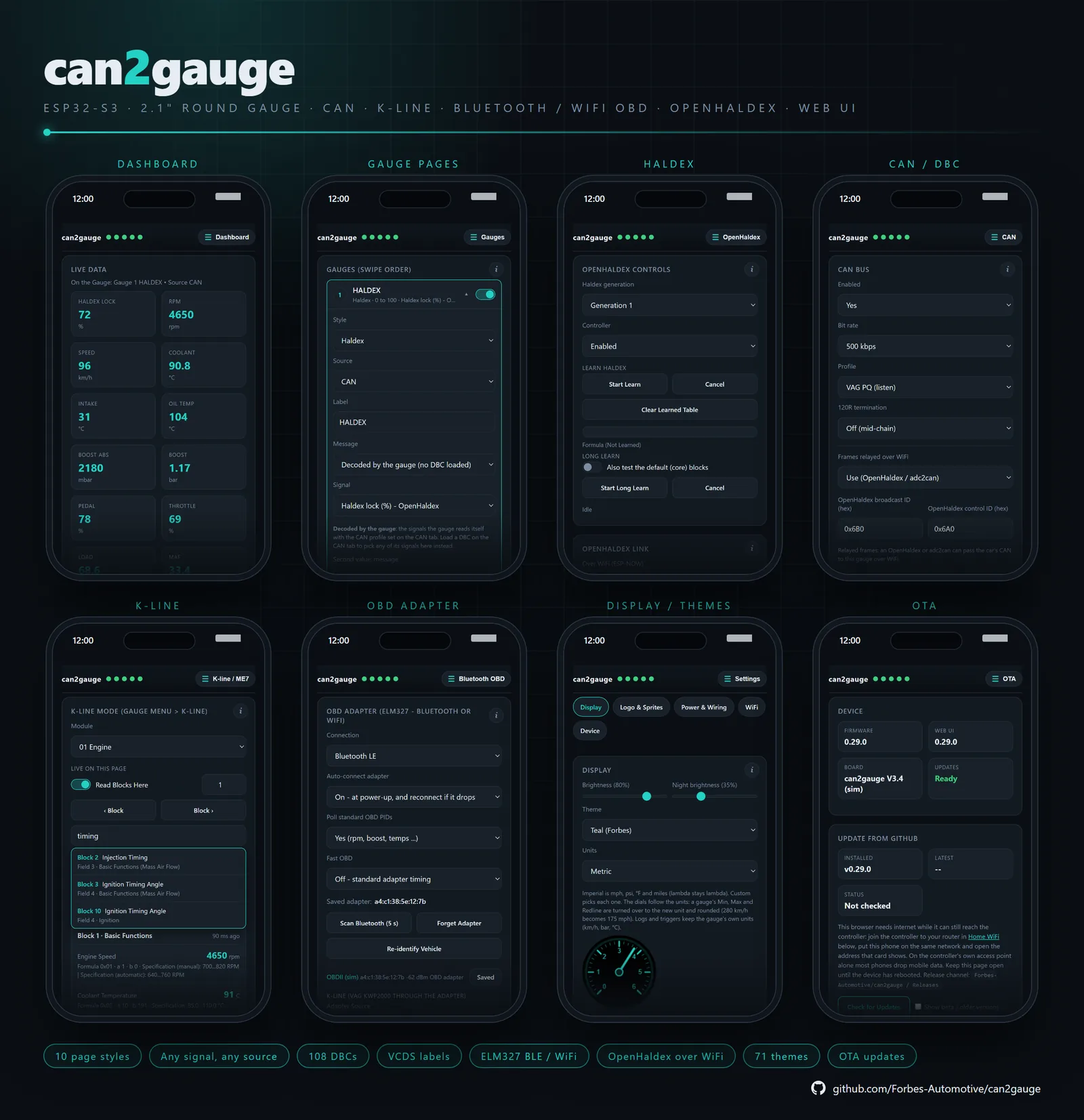
Join the gauge’s Wi-Fi, can2gauge-XXXX, and open 192.168.1.1 or c2g.local. There’s no app to install. The gauge hands out no gateway, so your phone keeps its mobile data while you’re connected.
It opens in Basic, with the settings most people change on each card and the fine-tuning behind More Options. Advanced opens everything, plus the tool tabs. Settings survive firmware updates, and updates come over the air from GitHub or from files, with a 60-second rollback if a new firmware doesn’t confirm itself.
Rev
Rev is the can2gauge mascot: a white figure whose quiff is a gauge needle and whose glow takes the theme’s colour. Turn Sprite on for any page and Rev swaps in for the dial. On an rpm page Rev idles, jogs, sprints and bounces off the limiter; on boost, inflates; on Haldex, braces as the lock climbs. Hot or cold oil overrides any page, and a tap startles it.
The screensaver brings Rev up once the car is still. Double-tap it for Rev Runner, a little game you’ll find for yourself.